If you restore things — cars, furniture, paintings, ceramics, motorcycles — then you already understand something most people don’t. The transformation is the story. And right now, most of that story is being lost.
A photograph taken the day a project arrives, and another taken the day it leaves — these two images together are worth more than either one alone. The GhostViewer App lets you combine them in a way that makes the transformation impossible to ignore.
The Problem with Before and After
Most restorers take before-and-after photographs. The problem is that they’re rarely taken from exactly the same angle, at the same distance, with the same framing. When you put them side by side, the differences in perspective distract from the transformation itself.
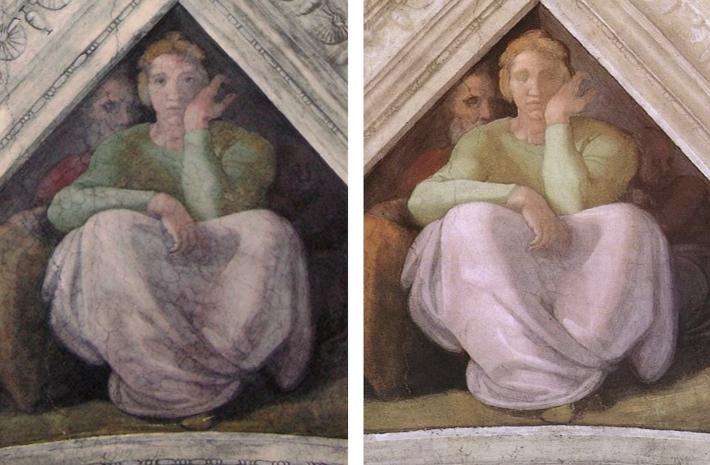
GhostViewer solves this with a point-matching alignment process. Upload both images, mark four or more corresponding points — a corner here, a hinge there, a panel edge — and the tool aligns them precisely. What you get is a comparison where the transformation is the only thing that changes. Everything else lines up.
The result can be exported as an animated GIF, a still image, or a video. It takes minutes. It works in your browser, with no account and no subscription.
Furniture and Objects
A Victorian writing desk, stripped of decades of paint to reveal the original walnut beneath. A ceramic piece, cracked and grimy, brought back to something close to its original condition. A clock movement, seized solid, now running again.
These are the transformations that restoration is really about — the discovery of what something was before time and neglect intervened. An aligned comparison shows that discovery better than any description can. It’s also exactly the kind of image that performs well on Instagram and Facebook, where the reveal is everything.
Paintings and Works on Paper
Conservation photography is already standard practice in professional studios. Before treatment, during treatment, after treatment — the photographic record is part of the job.
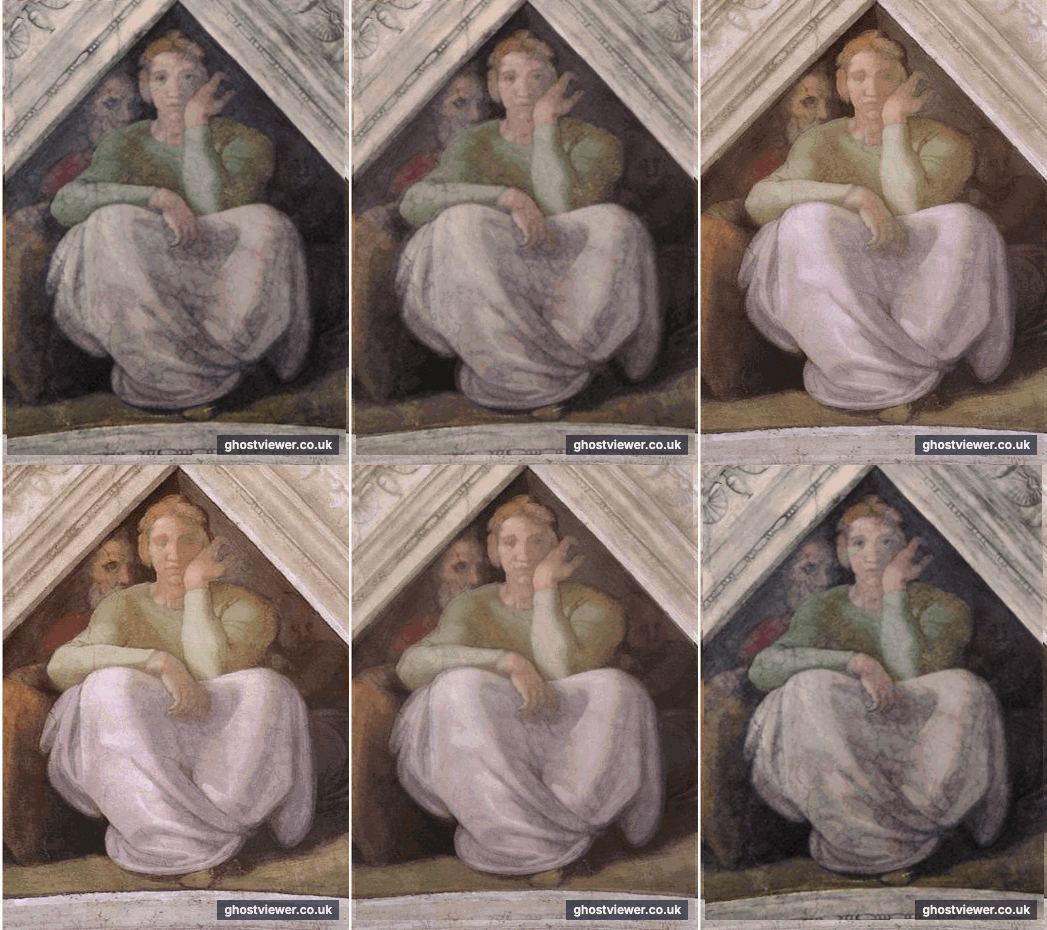
The GhostViewer App adds something to that process: the ability to create a compelling aligned comparison that can be shared publicly, without specialist software. A painting before cleaning, with centuries of discoloured varnish obscuring the original colour, aligned with the same painting after — the impact is immediate. So is the engagement.
For conservators who want to explain their work to clients, trustees, or the wider public, this is a tool that does the explaining for you.
Building a Portfolio That Shows Your Work
For professional restorers, an aligned before-and-after comparison does something static photographs cannot — it proves the scale of the intervention.
A client looking at a finished piece sees something beautiful. A client looking at a GhostViewer comparison sees what you started with, what you achieved, and the distance between the two. That is a very different kind of proof. It is the difference between showing a result and telling a story.
Getting Started
You don’t need any specialist equipment or technical knowledge.
Photograph your project at the start — from a consistent angle, in decent light. Photograph it again at the end from as close to the same position as you can manage. Open GhostViewer in your browser. Upload both images, mark the corresponding points, align, and export.
If you’re working on something right now, take that first photograph today. You’ll be glad you did when the project is finished.
The GhostViewer App is free to use. Everything happens inside your browser — your photographs are never uploaded to any server.
See through time.